One assistant that grows with your role
Aptie is the same AI assistant your employees use. As a manager, you can do more with it. What Aptie can do depends on your role and permissions in Aptien – you don't need another assistant or a special license.
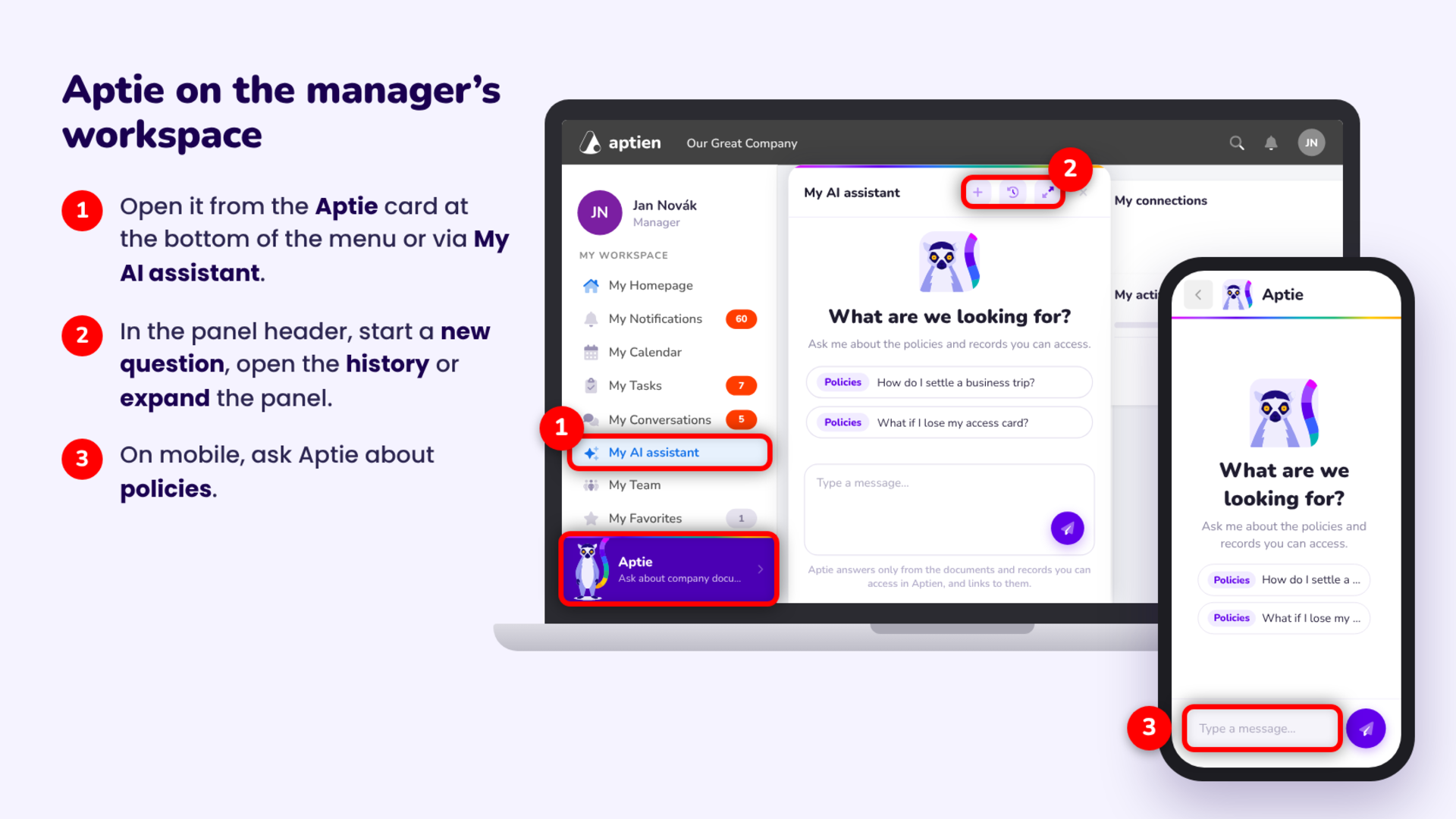
Where to find Aptie
Open Aptie from the Aptie card at the bottom of the left menu or via My AI assistant. In the panel header, you can start a new question, open your conversation history or expand the panel.
In the mobile app, you can search policies, just like employees.
What Aptie can do today
- Policy search: ask in your own words and Aptie answers based on the policies published to you.
- Quick rule check: verify what a policy says before you answer an employee or approve a request.
- The same answers as your team: you know what Aptie tells employees, because it works with the same documents.
Aptie always respects your permissions. It only shows what you have access to in Aptien.
Coming soon for managers
More capabilities will unlock based on your role:
- Data search – sets up a filter in a organizer for you and finds data in Aptien based on your question
- Reports and data summaries
- Policy drafting – help with writing a new policy
- Policy review – checks, improvement suggestions and checklists
- Direct reports overview – a quick summary of the people on your team
Who turns Aptie on
An administrator turns Aptie on for the company in Administration → AI Assistant. They can try the assistant first and then choose a plan based on usage.
When the credits for the period run out, Aptie pauses until the next period starts or until credits are topped up manually.