Project handover form is used for the handover of the project to the client.
- You will use it in a situation where you need a formal confirmation of handover and acceptance of the result of the order
- The handover protocol serves as a signed document handing over the order to the client
- It is therefore proof that you, as a supplier, deliver the result of your work and that the customer accepts it
- So it can be an acceptance protocol at the same time.
- Confirmation takes place by signing a printed form
- The protocol form automatically fills in selected information from the order register, for example: name and surname, subject of the order
- It saves the result in pdf format, which you can then easily print
How to Prepare a Job Handover Form?
A handover form includes all key information needed by the person or team taking over your project or job. This could be a customer, another team, or an external partner. Typical scenarios include: handoff to a client, handoff to another department or vendor, transition to a new role or project, or ensuring coverage during your time off. Handover documentation helps align expectations, responsibilities, and deadlines for the person taking over. You should always define:
- Set clear project goals and describe expected deliverables and due dates
- Create a complete list of items being handed over (handover checklist), including files, tools, and access
- Identify who is handing off and who is taking over, including owners, roles, and contact information
PDF template for job handover (printable)
If your company uses paperwork or needs a printable form, you can use this sample as a PDF template. It’s ideal when you still collect signatures on paper and want a form you can print quickly. You can easily edit the PDF template, print it, or send it by email.
- The handoff receipt is available as one of the prebuilt printable forms in Aptien.
- Confirmation is done by signing the printed form.
- The receipt form automatically fills selected details from your records, for example: full name and items handed off.
- The output is saved as a PDF file, which you can then easily print
- You can customize the receipt to your company’s standards using the print layout designer.
How to use the PDF template
- Use the template in the Jobs (Work Orders, Project) Organizer
- This sample is ideal for project managers who need to smoothly hand off a project to another manager, team, or client.
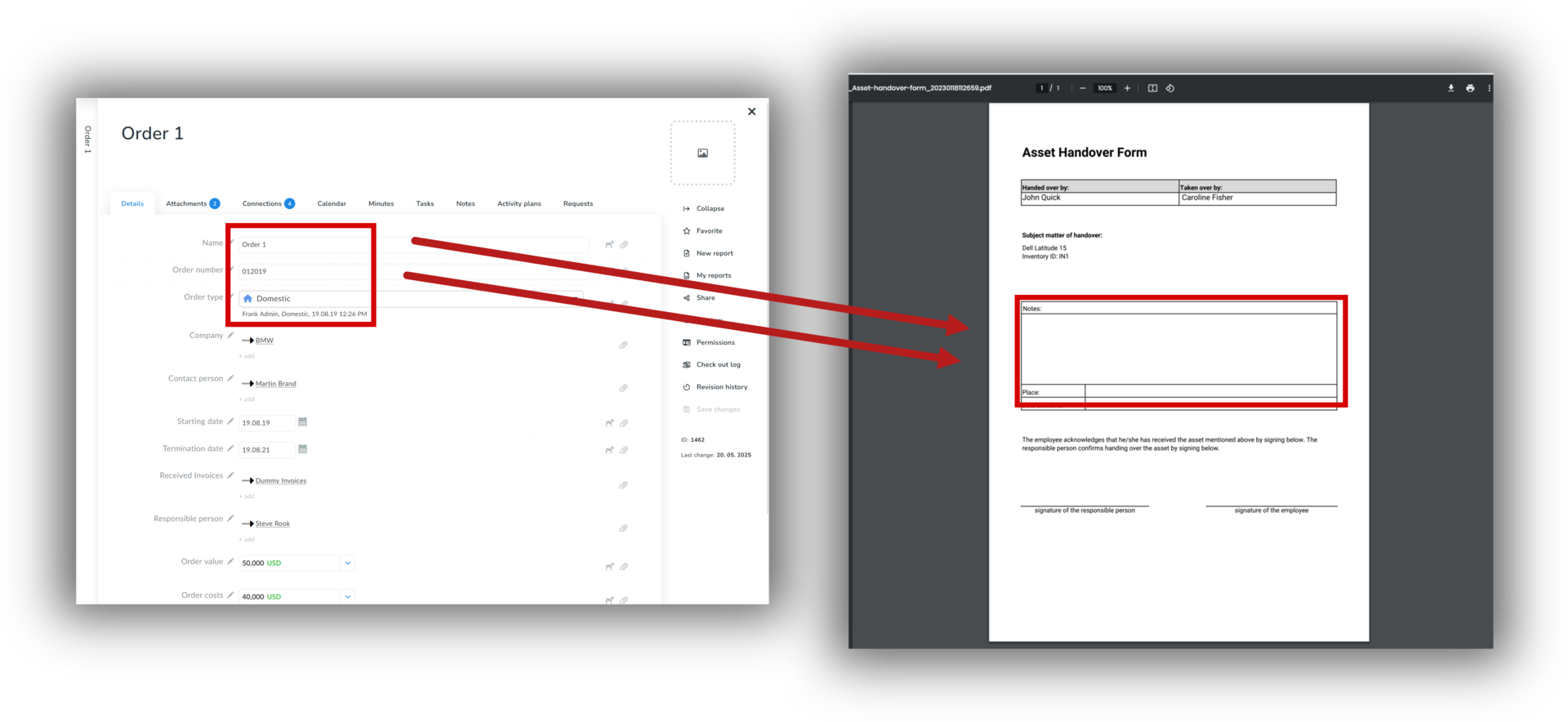
You Can Edit the Project Handover Protocol Yourself
- You have the option to adapt the order handover protocol to the customs of your company using the print set designer
- In it, you can make your own adjustments, such as adding your company logo to the log header or making other changes as you need
Downloadable Project Transfer Protocol Forms (TBD)
- MS Word transfer protocol form for download
- PDF handover protocol form for download
- APTIEN transfer protocol form for download