A handover record is a formal confirmation that documents the transfer or delivery of items or responsibilities between two parties. It is commonly used to document the handoff of business assets such as equipment, tools, laptops, badges or keys, as well as the transfer of projects, work orders, or other work-related deliverables. A handover record serves as proof that an item or responsibility was transferred from a sender to a recipient and successfully received. It captures the essential details of the handoff, including who delivered the item, who received it, when the transfer took place, and—when relevant—the condition or status of the item at the time of handoff.
Handover records can be created in paper form or digitally and are widely used by HR, IT, operations, and facilities teams to ensure accountability and maintain accurate records.
What Does a Handover Record Help You Do?
A handover record helps businesses to:
- Issue company equipment to an employee
- Collect company property from an employee
- Provide items or assets to a customer
- Hand off responsibility for a job, task, or project
- Confirm receipt of a delivery
Why do Businesses Document Handovers?
- Prevent disputes when an employee leaves
- Maintain clear visibility into who has which equipment
- Increase accountability for assigned company property
- Streamline workflows for HR, IT, and office managers
What Should a Handover / Takeover Checklist Include?
A handover or takeover checklist (sometimes referred to as a handoff form) should include the following key details:
- Person handing over the item (Sender / Owner)
- Person receiving the item (Recipient)
- Item or asset being handed over
- Notes (description, condition, or current status)
- Date and time of the handover
- Location of the handover
- Confirmation and signatures of both parties
Including these details ensures the handover record is clear, complete, and suitable as a formal proof of transfer.
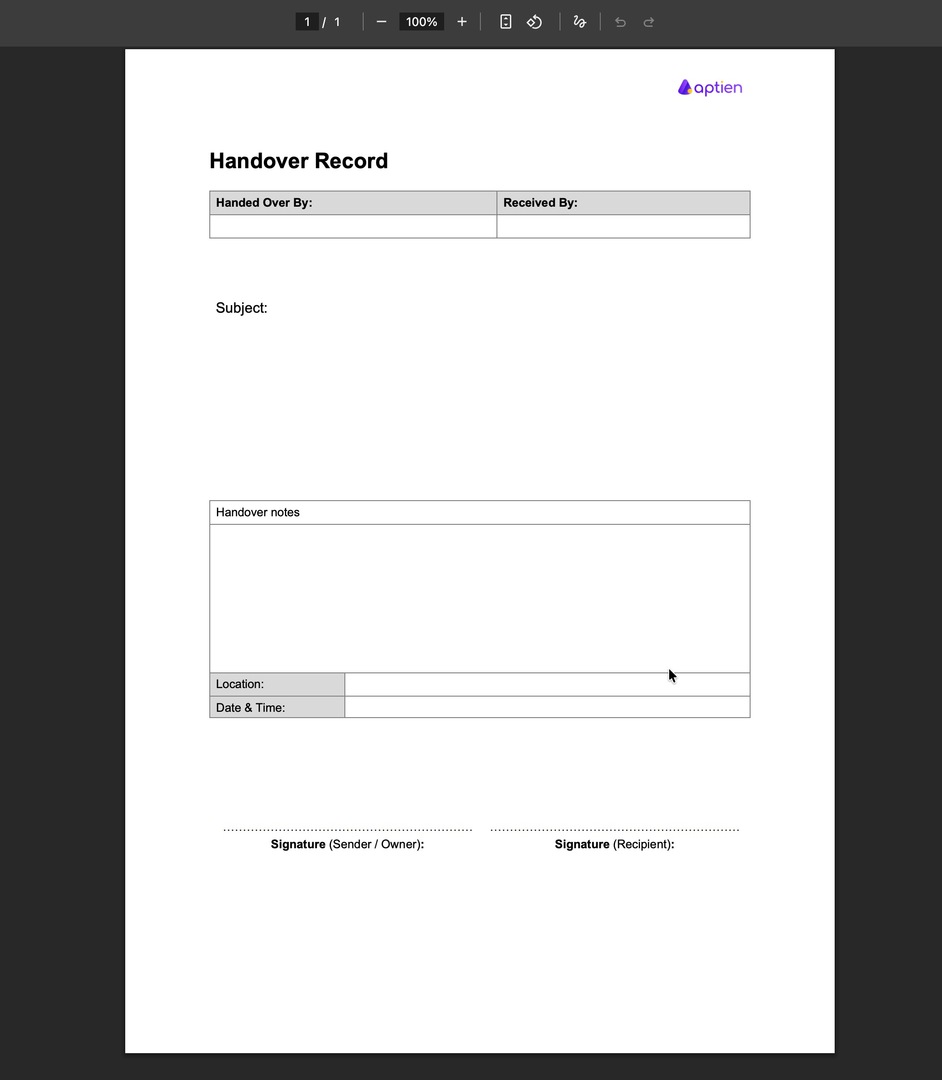
Sample Handover Record
A sample handover record typically shows how assets or responsibilities are documented, including the people involved, the transferred items, and confirmation of receipt. Many companies use standardized templates to ensure consistency across teams and departments.
Most Common Uses of a Handover Form in Companies
- Handover records and forms are most commonly used for:
- Handover or return of assigned company property
- Handover or return of a company computer or laptop
- Handover or return of a mobile phone
- Handover or return of keys, badges, or access cards
- Handover or return of tools
- Project or Job Handover
- Handover of personal protective equipment (PPE)
To speed up setup and ensure consistency, many businesses use ready-made templates. Explore our template library for various handover forms
How to confirm a handoff?
1. Wet signature on paper (printed PDF)
- Typical use: operations, warehouses, manufacturing—settings where printing is common or a hard copy is required.
- Why: simple, familiar to everyone, works without any software.
- Cons: limited traceability, manual filing, data entry errors.
- Real-world note: still widely used as a fallback. Many companies run a hybrid setup (digital + paper), so paper hasn’t gone away.
2. Signature on screen (phone/tablet)
- Typical use: internal field handoffs (e.g., IT issuing a laptop), facilities (keys, badges), and logistics.
- Why: fast and paperless; the system records a timestamp and audit log (who confirmed what and when).
- In practice: common when both parties are on-site and need quick confirmation.
3. Confirmation under user account (online form/workflow “Acknowledge/Accept”)
- Typical use: HR and internal processes (policy/read acknowledgments, documents, onboarding/offboarding checklists, asset handoff), wherever employees have user accounts.
- Why: ideal for employees—identity is tied to their account and an audit log is created (who confirmed what and when).
- In practice: often the most practical option for internal workflows.