Printable PDF forms automate paper-based processes
Aptien's printable forms make it easy for you to do all those processes where you can't do without a paper printed form, that someone has to sign or certify. Nearly everything can be handled digitally in a way that makes sense and makes your job easier, but there are always situations, in real life, that are better or easier to deal with on paper.
So the printable form is perfect for situations where you need to get information from Aptien onto paper (using a printer) or need to work with people who don't have access to Aptien. You can customize the forms in Aptien and pre-fill the form with data from Aptien.
Aptien automatically fills in data for your PDFs
- Aptien automatically fills in data from your records into PDFs, saving time and reducing manual data entry.
- The form is created as a PDF that you can save or print.
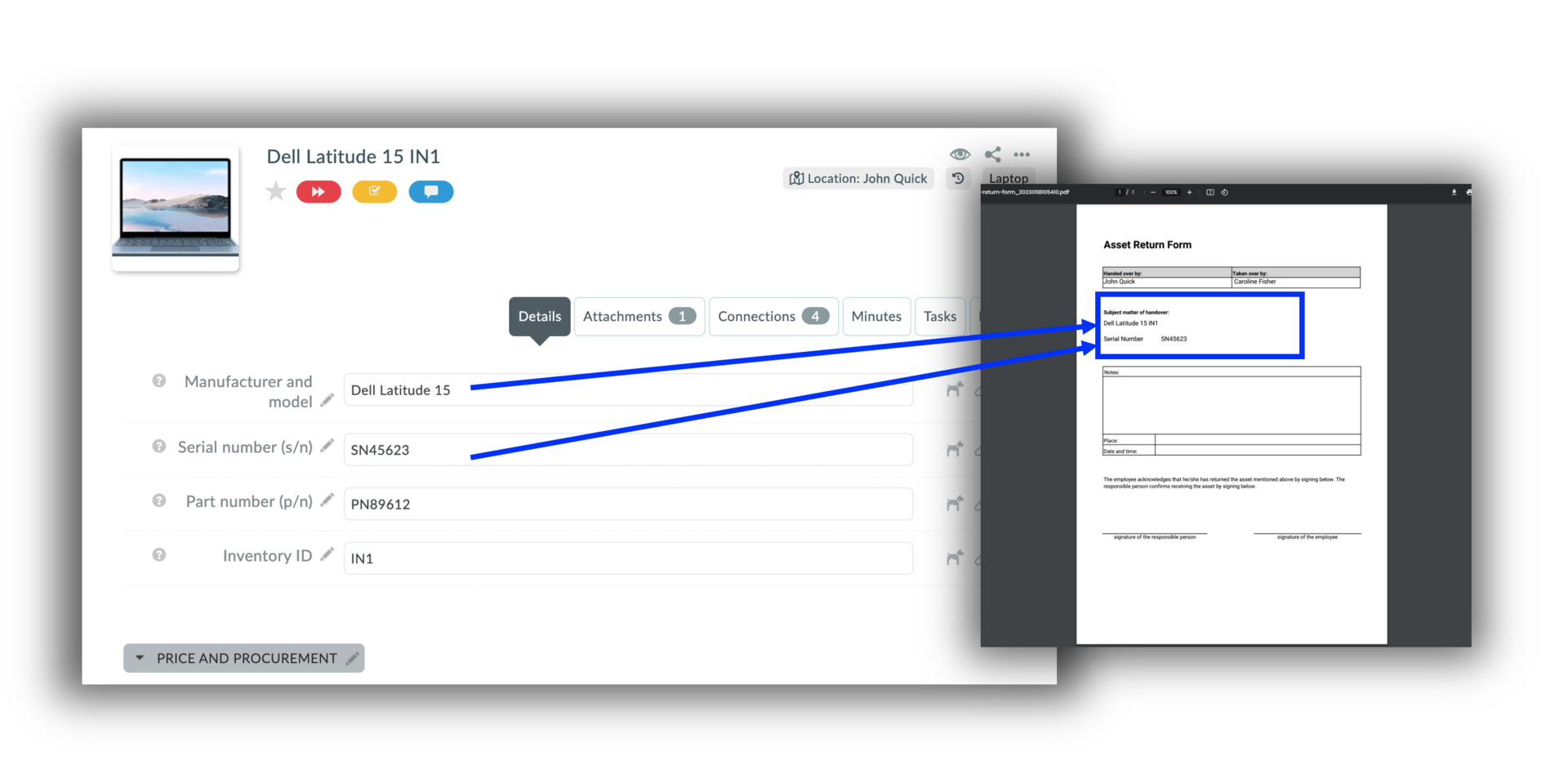
Examples of using automated PDF print forms
A common example is a doctor’s note or medical certificate that requires a physician’s signature.
- handoff or assignment form
- return authorization form
- acceptance or sign-off form
- customer complaint form
- purchase order form
- registration or sign-up form
- request for issuance
- access request form
- software installation completion form
- checklist form
Create forms as easily as in Word or Google Docs
You can quickly create your own print forms as easily as in Microsoft Word. The form editor is available in your admin settings, so you can create and update forms anytime—just like working in Word.
- Add fixed text
- Add images and logos
- Add fields that automatically populate with your data from Aptien
Library of Ready-to-Use Printable PDF Forms
- We’ve prepared a variety of printable forms—check out our organized library.