Tento článek je určený pro facility manažery.
Use Inspection Plans to Schedule, Track Deadlines, and Confirm Completed Inspections
Use inspection plans to schedule and keep track of inspection and maintenance deadlines, and to verify completed inspections.
- Easily customize inspection plans to match your business needs and maintenance schedules for different types of machinery and equipment.
- Set up inspections for specific dates.
- Get reminders to perform inspections on the scheduled day.
- Mark inspections as completed.
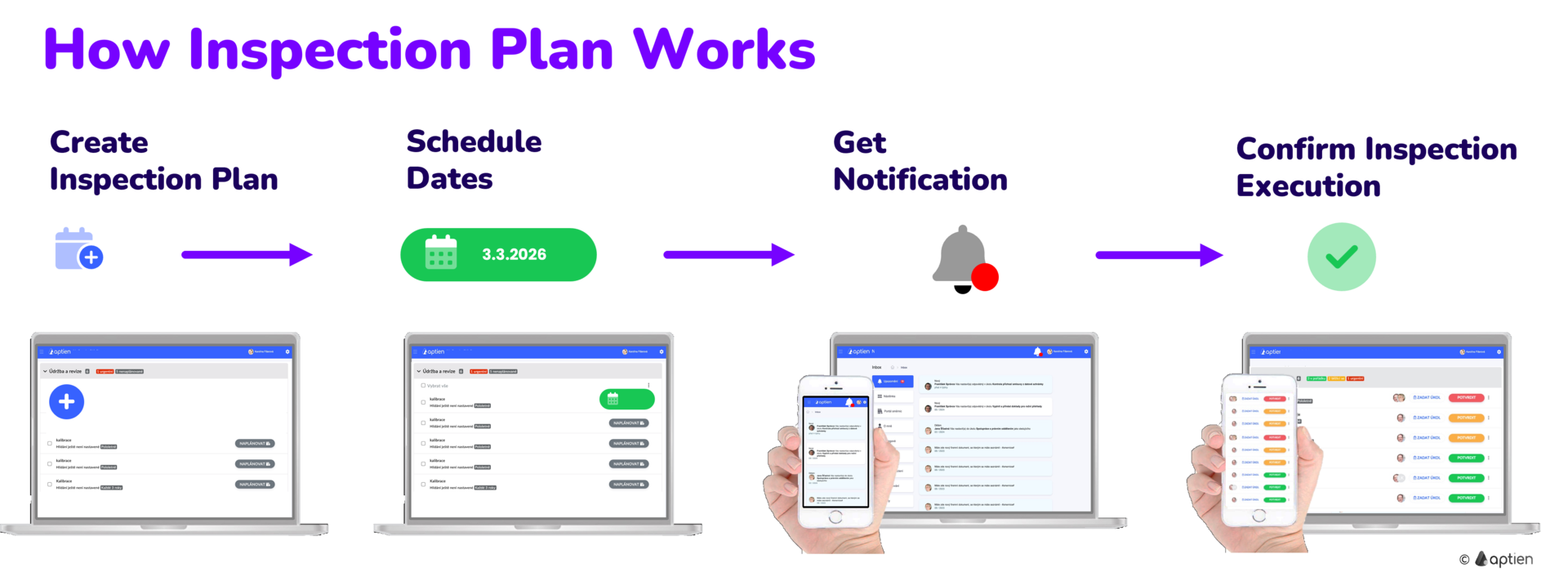
With an Inspection Plan, you can:
- Create a list of WHAT inspections or checks need to be performed on your equipment
- Schedule WHEN each inspection should take place and how often—one-time, recurring, or as needed
- Assign WHO is responsible for conducting the inspection (usually an outside technician)
- Verify that the inspection is complete and upload proof, such as an inspection report or photos
Get automatic reminders for scheduled maintenance and inspections
- Based on the plan, Aptien automatically monitors and sends reminders for maintenance and inspection dates for your equipment.
- You can see the complete annual maintenance schedule for each piece of equipment.
Confirm when they're done
- The responsible person confirms when the maintenance or inspection has been completed.
- They can attach the inspection report or other documentation.
Step 1: Creating an Inspection Plan
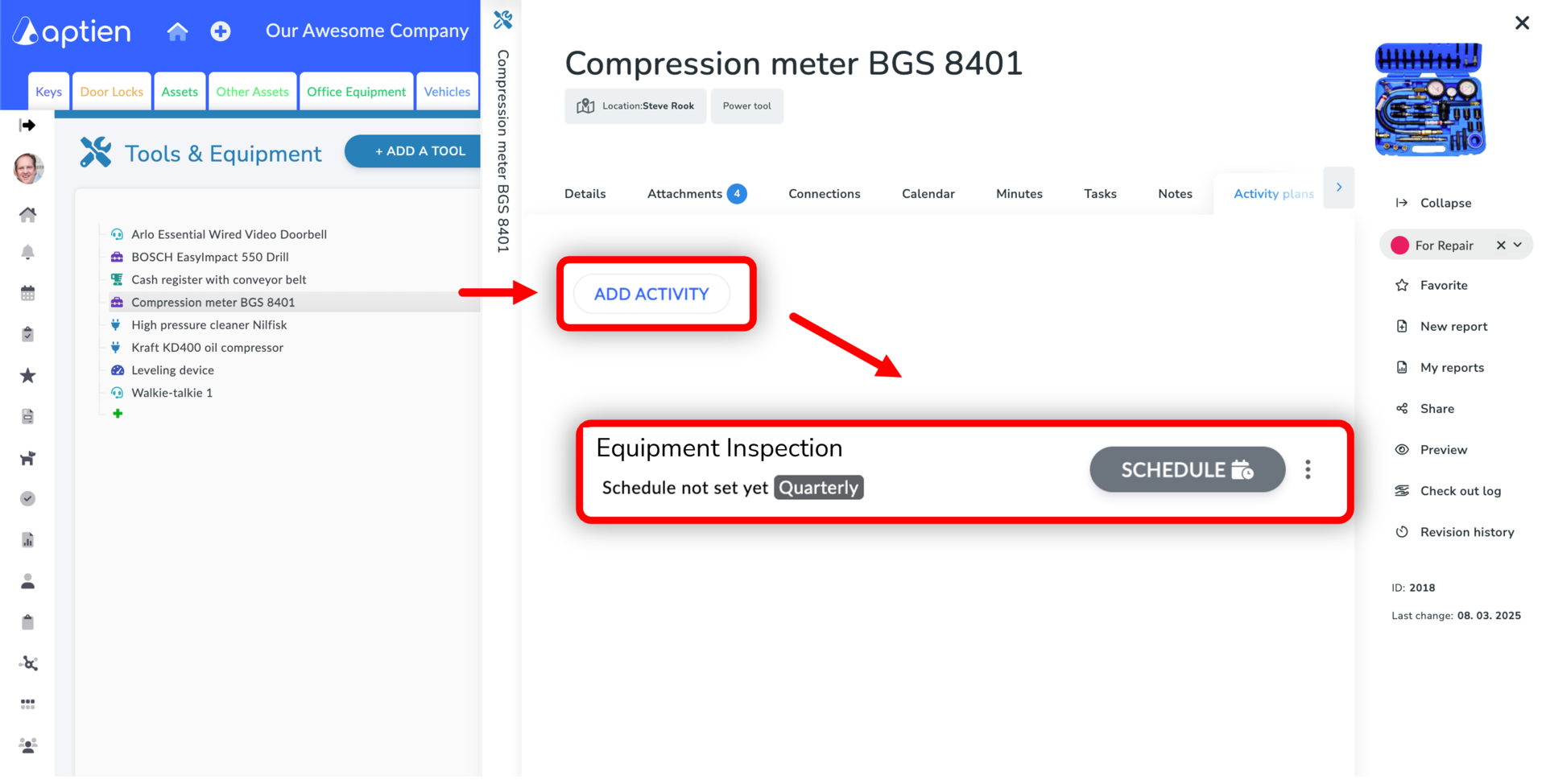
- You create inspection plans for each type of your equipment, machinery, or devices.
- You can also create an individual inspection plan for a specific asset.
- You create inspection plans directly from the asset's card or device by following these steps.
- From it, you can add both individual inspection plans and plans common to all machines in the given register. For example, if you set up an inspection plan for one elevator, you will have it for all elevators.
- See the guide on how to create an inspection plan
Step 2. Scheduling Specific Inspection Dates
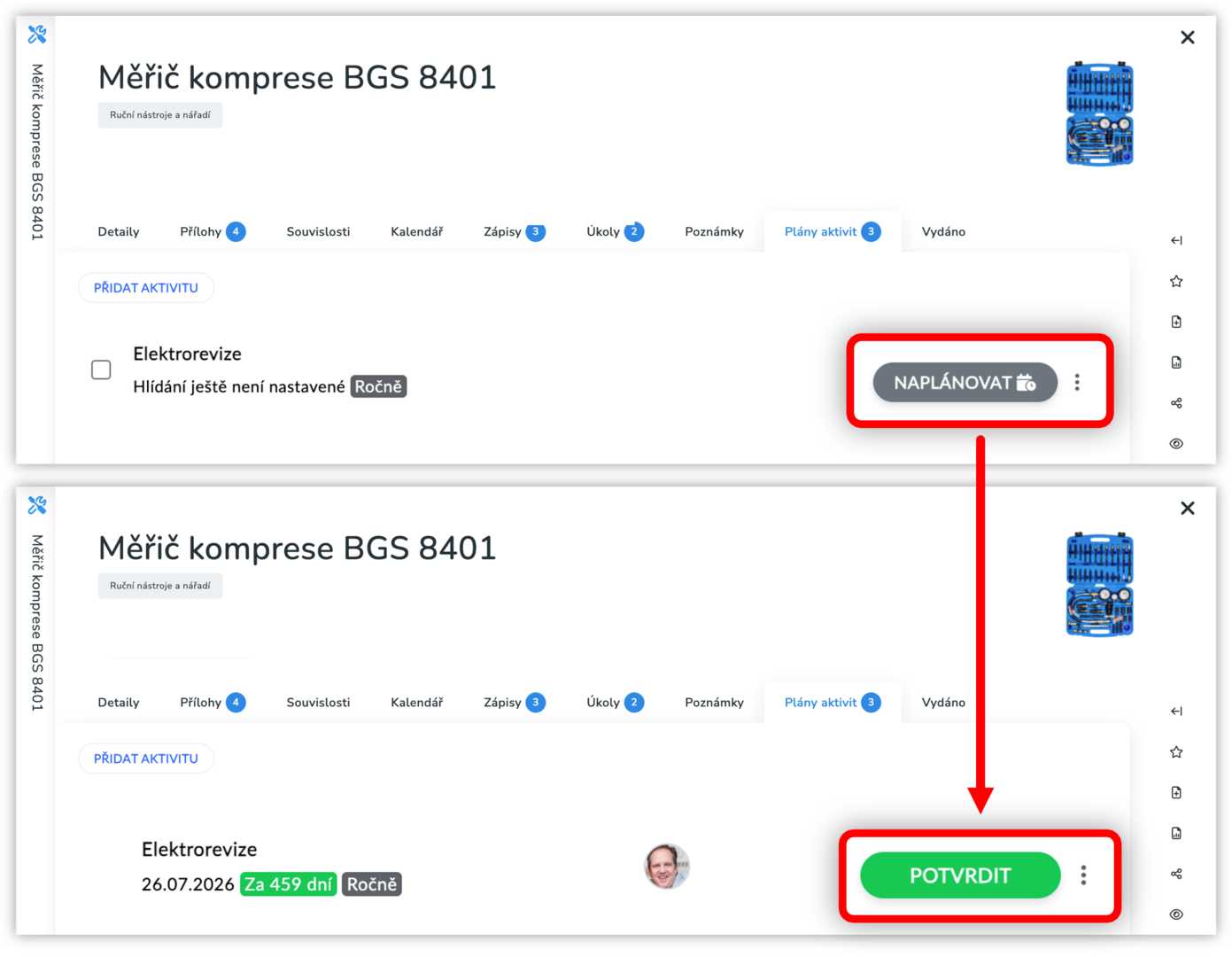
- Once you have set up all the inspection plans, you need to start the individual dates, i.e., schedule or confirm their start.
- This means setting the first date from which the period monitoring should start, or when the inspection or check is scheduled.
- See how to schedule inspection dates
Step 3: Confirmation of Completed Inspection
- The system automatically sends a notification to the responsible person (facility manager)
- They confirm the inspection has been carried out
- Confirmation can also be done by an external inspection technician
- See how to confirm a completed inspection (TBD)
Annual Overview - Inspection Plan for All Equipment
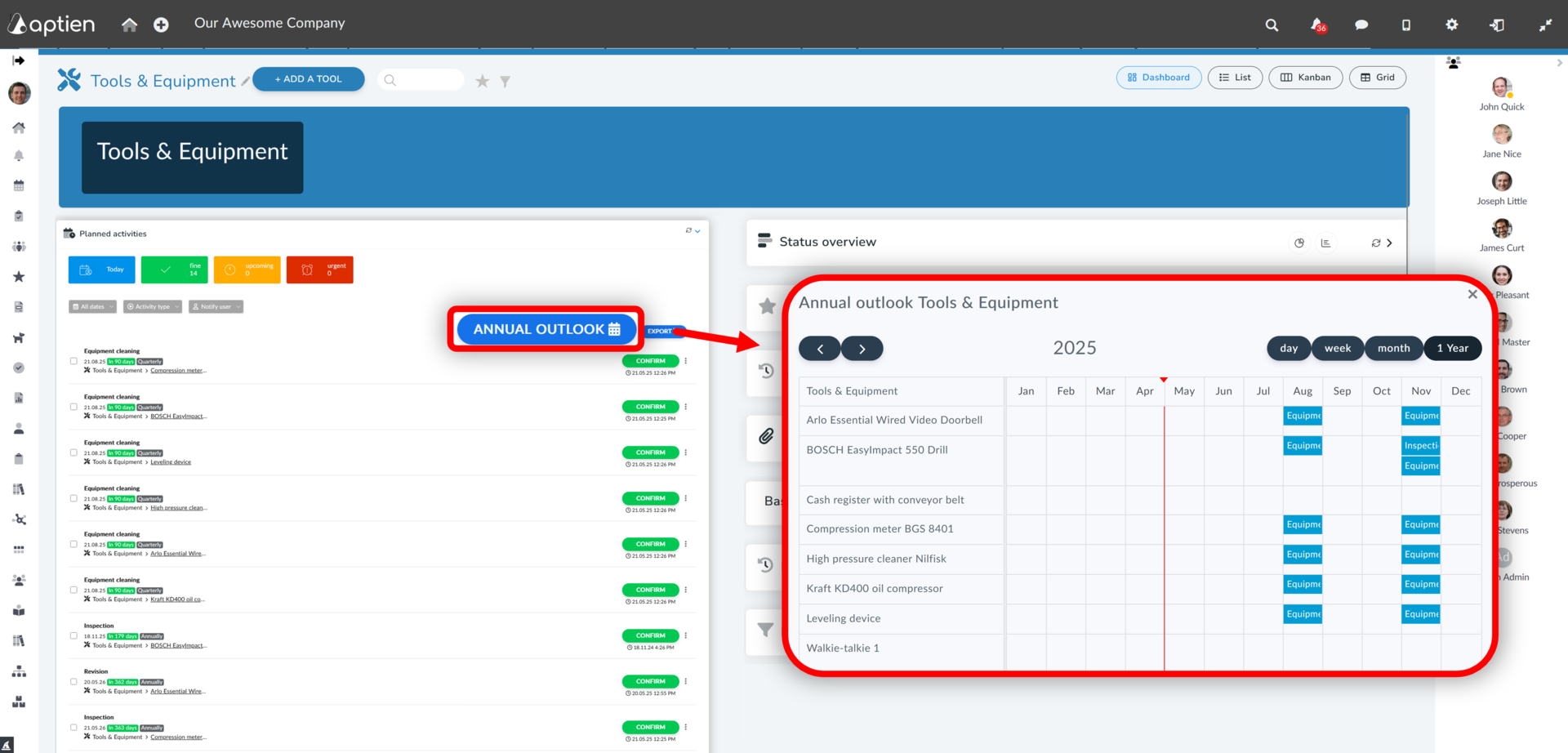
Get an overall overview of inspections in each month for all your equipment with the annual inspection plan. You can display it from the maintenance dashboard.
- Click on Dashboard
- In the list of cards, go to "Activity Plans"
- On the right, you will see the "Annual Maintenance Plan" button.
- Clicking on it will display the following overview, which shows the next 12 months.
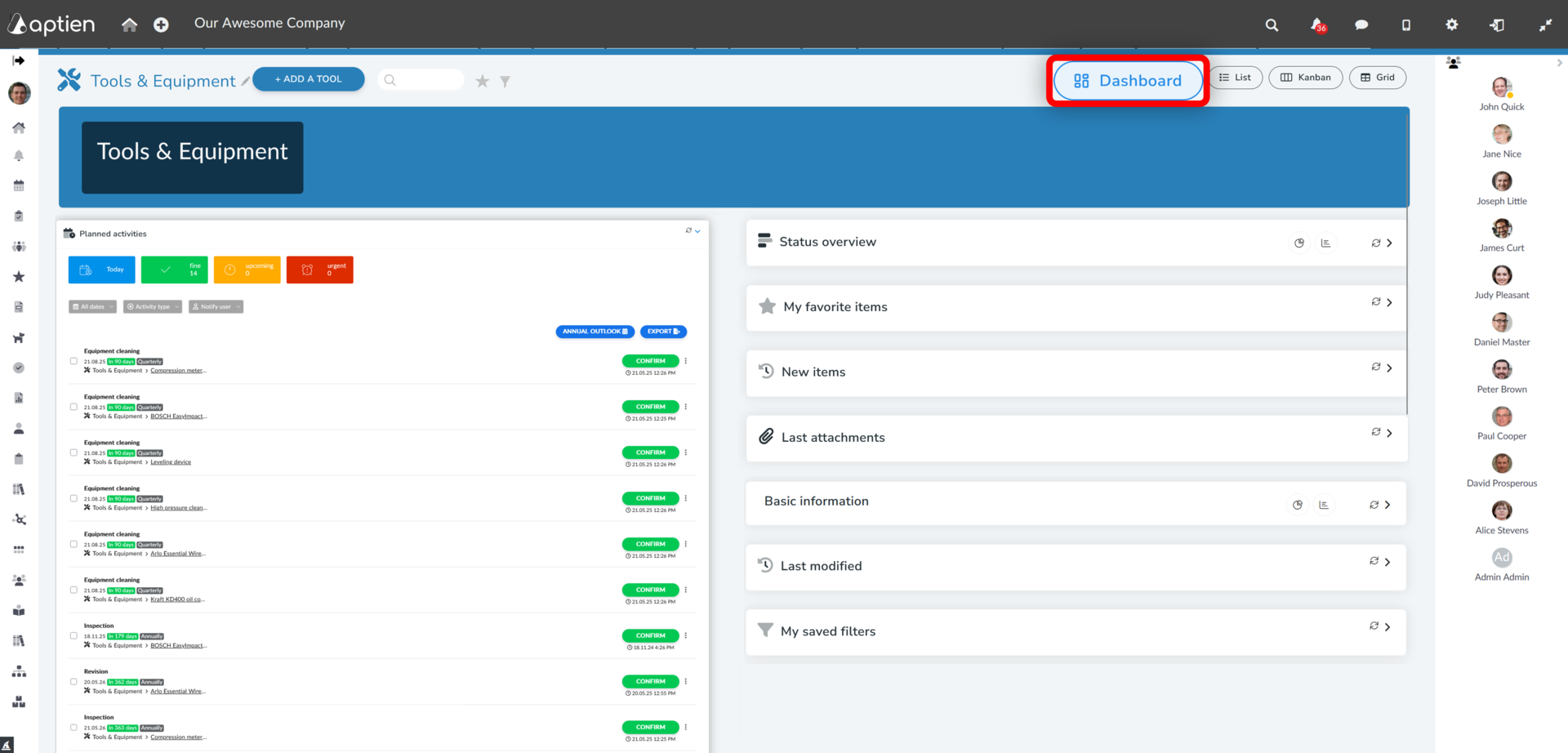
- V pravé části uvidíte tlačítko "Roční plán údržby"
- Po kliknutí na něj se vám zobrazí následující přehled, který zobrazuje následujících 12 měsíců