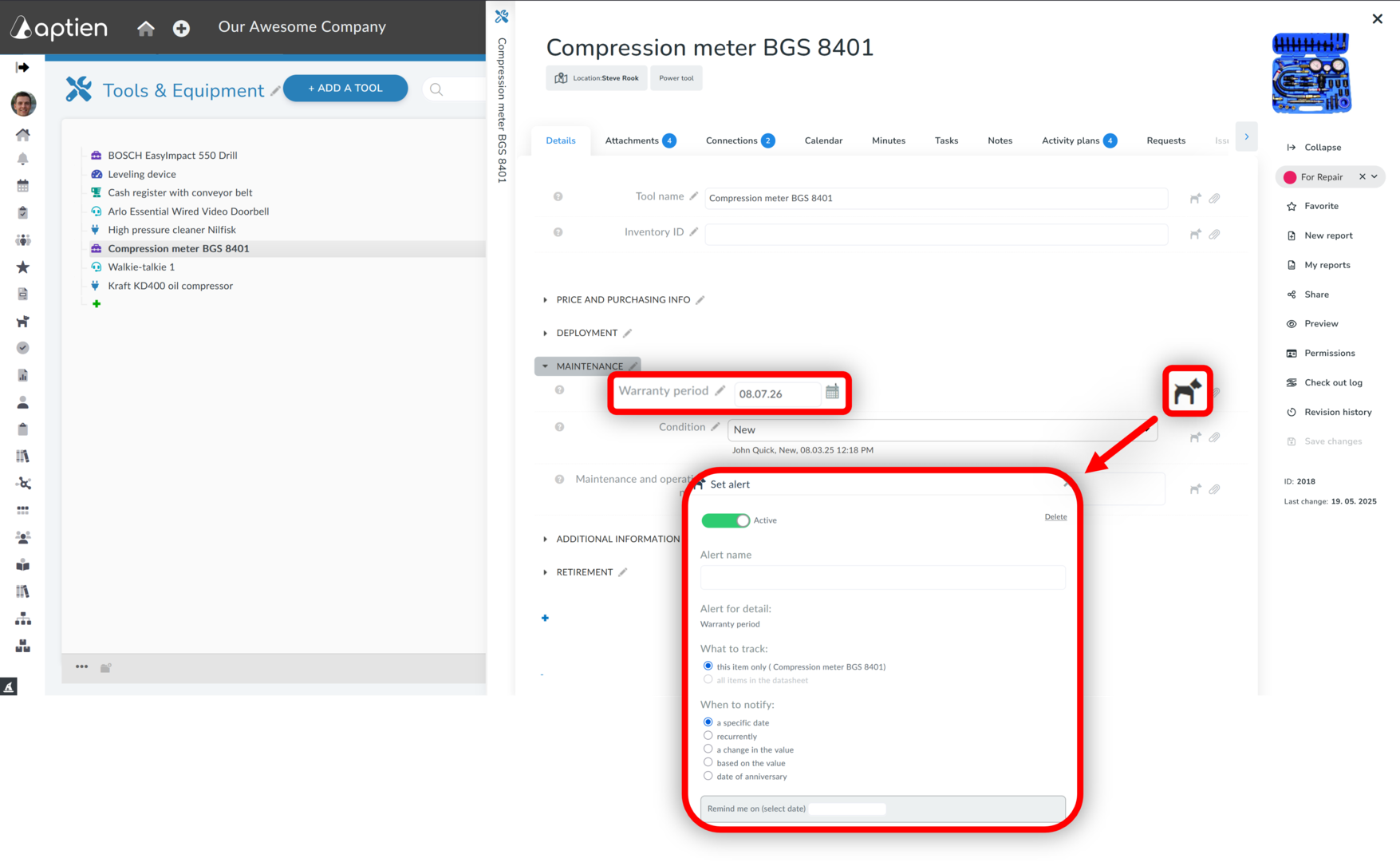
In Aptien, you can easily track and monitor warranty expiration dates for your equipment, devices, appliances, or other assets using alerts and reminders.
- To use warranty tracking, you must have the warranty expiration date entered in your asset records.
- You can use this date in any asset register.
How to Set Up Warranty Expiration Monitoring
- On the asset card, go to the "Warranty Period" detail.
- Click the "Watchdog" icon and Set up an alert for the expiration date.
- Click "+Set up new watch"
- Select "Based on detail value".
- Set how many days in advance you want to be notified.
- If you want to monitor all records in the asset register, select "On all records".
- Select who should receive the notification (e.g., you, the facility manager).