How can a small to medium-sized business effectively track the validity of professional certifications, welding licenses, driver's licenses, or electrical certifications? For an HR professional in a growing company with only a few hours a week to spare, manual tracking in Excel is a significant risk. Aptien, an online system, offers a practical solution that functions as an automatic expiration tracker, a digital document hub, and a skills matrix all in one. If you manage HR or operations in a growing company, you need assurance that your employees hold valid credentials to safely deliver client projects and avoid crippling fines from regulatory bodies like OSHA or during an ISO audit.
Why Manual Tracking of Professional Credentials in Excel is a Pitfall
In small to mid-sized and growing businesses, certification management is most often handled using one of three ineffective methods:
- Spreadsheets (e.g., Excel): Someone manually enters expiration dates. But the spreadsheet won't automatically email you that John's welding certification expires in two weeks. A week of vacation or overlooking a single row is all it takes for a compliance issue to arise.
- Paper Files: Scans of certificates are printed and stored in binders. Finding out who currently holds a valid forklift operator's license means an hour of sifting through papers.
- Calendar Reminders: An HR professional sets a reminder in their calendar. But when an employee changes positions or leaves, the calendar quickly becomes outdated.
How Does Practical Employee Certification Management Work in Aptien?
Aptien was developed so that setting it up takes a busy HR professional no more than a few minutes. Instead of complex software, you get a simple online tool that does three key things:
1. Digital Document Hub with One Click
No more scanning into cluttered folders on a company drive. When an employee brings a new certification (e.g., an electrical safety certification), you simply snap a photo with your phone or upload a PDF directly to their employee profile in Aptien. The document is securely stored and accessible anytime.
2. Automated Expiration Tracker
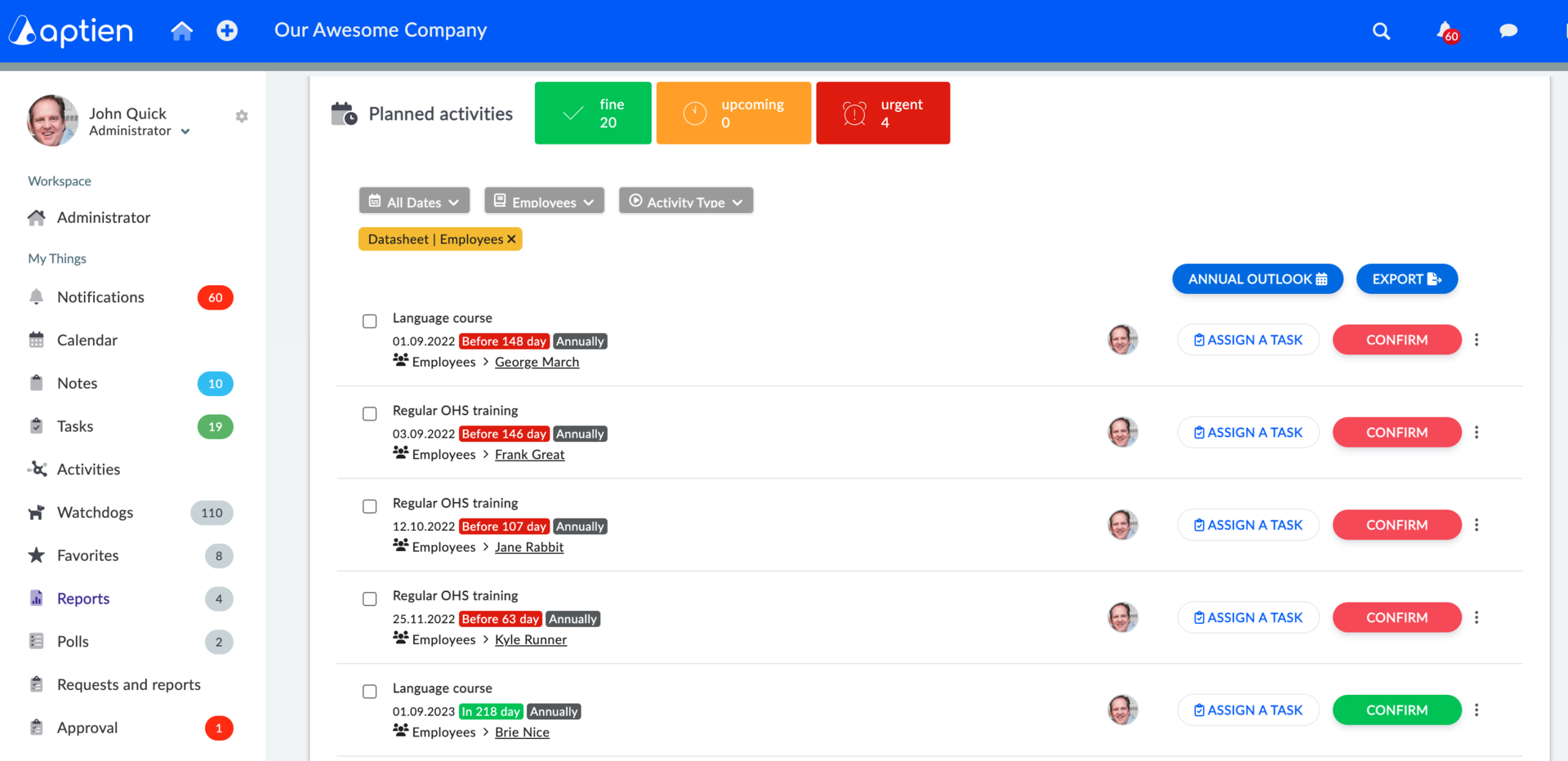
Upon uploading a certificate, you enter the expiration date. That's it. Aptien takes over – well in advance (e.g., 30 or 60 days before expiration, based on your settings), it sends automatic email notifications to you, the production manager, and the employee themselves. This gives you ample time to schedule renewals or re-certification courses.
3. Qualification Matrix by Job Position (Skills Matrix)
So you don't have to track each person individually, Aptien can link requirements to specific job positions. You create a "Professional Driver" position in the system and assign the requirement for a valid Commercial Driver's License (CDL) and medical certifications. As soon as you hire a new driver or reassign an existing colleague to this position in Aptien, the system immediately flags a red alert: "Missing Valid Documents." You know exactly what needs to be addressed immediately.
Results for Your Business: Peace of Mind During Audits and Inspections
With Aptien, you gain clarity that saves you days of stress:
Audit and Inspection Preparation in 5 Minutes
- Is an ISO auditor or a regulatory agency inspection coming? You don't have to scramble to find anything.
- Open Aptien and, on one screen, show a complete, color-coded qualification matrix – green for valid, red for expired.
Protection Against HR Turnover
- If an HR professional leaves your company, all critical knowledge about license validity doesn't disappear with them and their personal computer files.
- Everything remains securely stored in the Aptien cloud for their successor.