This article is for managers and team leads, who manage small business teams and need quick, at-a-glance information for everyday operations.
Planning Work on a Job/Project
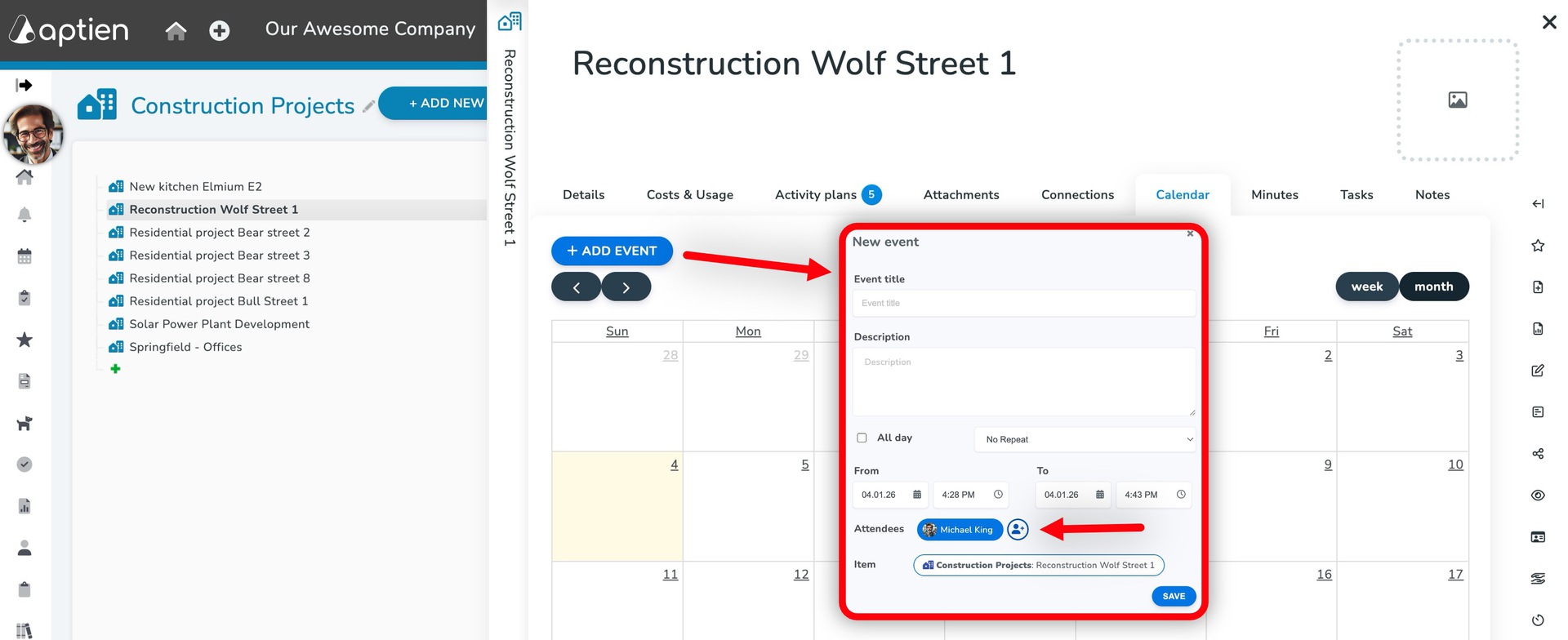
- Open the Jobs/Projects register
- Go to the "Calendar" tab
- Click "Add Event"
- Enter the event title and duration
- Add participants. You can add one or multiple people
- The event will automatically appear in each participant’s calendar
- Save
Employee Calendar and Capacity Overview
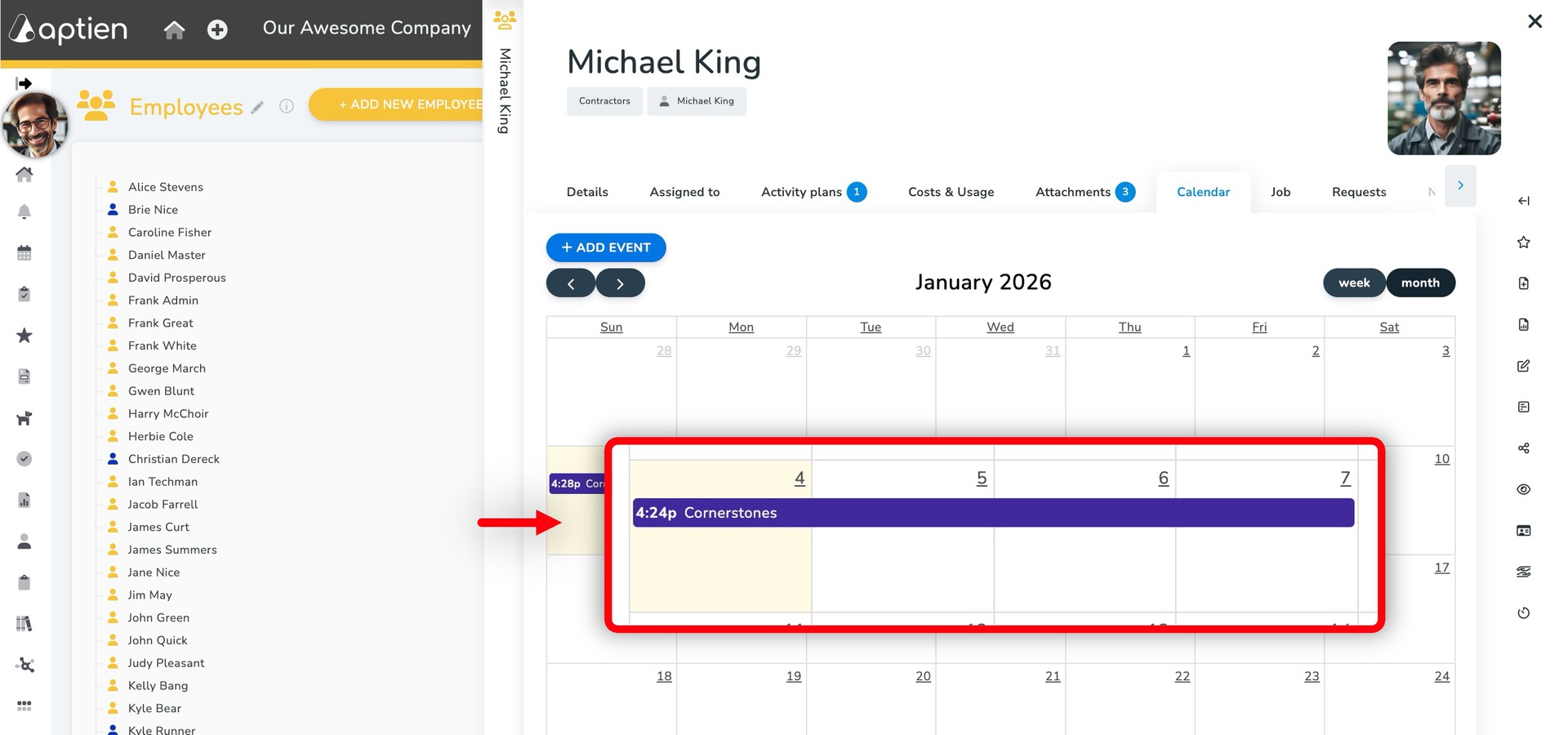
- To see how busy an employee is, open their calendar in their employee profile.
- All scheduled meetings, tasks, and events are shown here.
- A team manager can view calendars for all members of their team or department.